Best Free AI Image Upscaler: How to Choose in 2026
How to Choose a Comprehensive and Free AI Image Upscaler in 2026
Have you ever downloaded an old photo, generated an AI image, or received a low-resolution image from a client, only to discover that it becomes blurry, pixelated, and full of artifacts when enlarged?
This is one of the most common challenges faced by photographers, designers, e-commerce sellers, content creators, marketers, and even everyday users. As digital content continues to dominate online communication, image quality has become more important than ever. Whether you're preparing large-format prints, creating marketing materials, publishing on social media, or building an online store, high-resolution visuals directly influence how professional and trustworthy your content appears.
Unfortunately, not all AI image upscalers are created equal.
Many free image upscaling tools simply stretch pixels, resulting in unnatural textures, distorted faces, excessive sharpening, and inconsistent details. Some tools even alter the original composition so heavily that the final image no longer resembles the source image.
This raises an important question:
How do you choose a truly comprehensive and free AI image upscaler that enhances image quality without sacrificing authenticity?
In this guide, we'll explore the key features that matter most when selecting an AI image upscaler, why image consistency is often overlooked, and why Imgupscaler.ai has become one of the best free AI image enhancement solutions available today. We'll also introduce LinoCut AI for users seeking more advanced image enhancement workflows and professional-grade upscaling models.
What Makes a Great AI Image Upscaler?
Before choosing an AI image upscaler, it's important to understand what separates a professional solution from a basic enlarger.
A truly effective AI image upscaler should do much more than simply increase image dimensions.
Instead, it should intelligently analyze image content and reconstruct missing details while preserving the original appearance.
The best AI image upscalers typically provide:
- Resolution enhancement up to 4K or 8K
- Improved image sharpness
- Fine-detail reconstruction
- Noise reduction
- Better brightness and contrast
- White balance optimization
- Natural texture recovery
- Face consistency preservation
- Minimal visual artifacts
- High-quality print readiness
Many users focus exclusively on enlargement ratios such as 2× or 4×. However, professional image enhancement is actually about improving overall image quality rather than merely increasing pixel count.
When evaluating an AI image upscaler, ask yourself:
Does the image look genuinely better, or simply larger?
This distinction becomes especially important for portraits, product photography, AI-generated artwork, historical photo restoration, and images intended for large-scale printing.
Why Image Consistency Matters When Choosing an AI Image Upscaler
One of the biggest frustrations users experience with AI enhancement tools is unexpected image modification.
Some AI models attempt to "recreate" details by inventing new facial features, changing hairstyles, altering clothing textures, or modifying background elements.
While these changes may appear impressive at first glance, they often create problems when authenticity matters.
For example:
- Family photos may no longer resemble the original subjects.
- Product photos may misrepresent actual products.
- Brand assets may lose visual consistency.
- Historical photographs may become inaccurate.
- AI-generated artwork may drift away from the creator's intended style.
For this reason, preserving image consistency should be considered a core requirement when selecting an AI image upscaler.
The ideal model enhances what already exists rather than replacing it with artificial interpretations.
This is one of the major strengths of Imgupscaler.ai.
Why Imgupscaler.ai Is One of the Best Free AI Image Upscalers Available
Imgupscaler.ai was built specifically to address the limitations found in traditional image enlargement tools.
Instead of relying on generic enhancement algorithms, Imgupscaler.ai utilizes proprietary AI models that focus on preserving image integrity while dramatically improving visual quality.
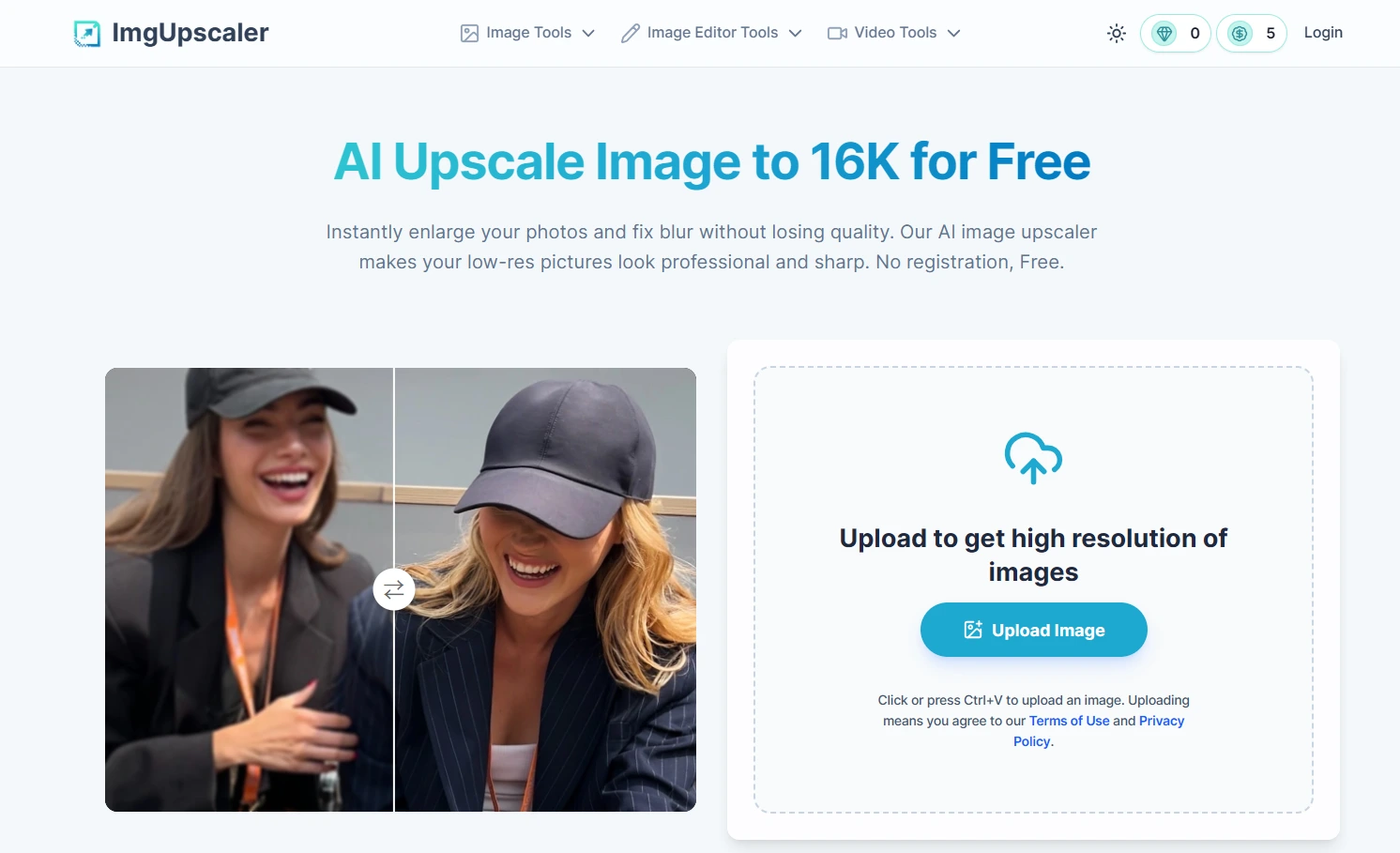
The platform's self-developed enhancement technology can:
Enhance Image Quality Beyond Simple Upscaling
Many image enlargers stop after increasing resolution.
Imgupscaler.ai goes further by intelligently analyzing image structures and restoring missing visual information.
As a result, images appear sharper, cleaner, and more detailed without looking artificially processed.
Improve Sharpness and Recover Fine Details
Blurred edges, soft textures, and missing micro-details are common issues in low-resolution images.
Imgupscaler.ai reconstructs fine details such as:
- Hair strands
- Facial features
- Skin textures
- Fabric patterns
- Product surfaces
- Architectural elements
The result is a noticeably clearer and more professional image.
Reduce Noise and Compression Artifacts
Images downloaded from social media platforms often suffer from compression damage.
The AI enhancement model can effectively reduce:
- Digital noise
- JPEG artifacts
- Graininess
- Color distortion
This creates cleaner and more visually appealing results.
Optimize Brightness and White Balance
Poor lighting and incorrect color balance can significantly reduce image quality.
Imgupscaler.ai automatically improves:
- Exposure
- Brightness
- Contrast
- Color balance
- White balance
This helps images appear more natural and visually balanced without requiring manual editing.
Preserve Face and Object Consistency
Unlike many AI upscalers that introduce unwanted changes, Imgupscaler.ai prioritizes visual consistency.
The model enhances existing details while preserving:
- Facial identity
- Character appearance
- Product accuracy
- Artistic style
- Scene composition
This makes it particularly valuable for portrait photography, e-commerce images, and AI-generated artwork.
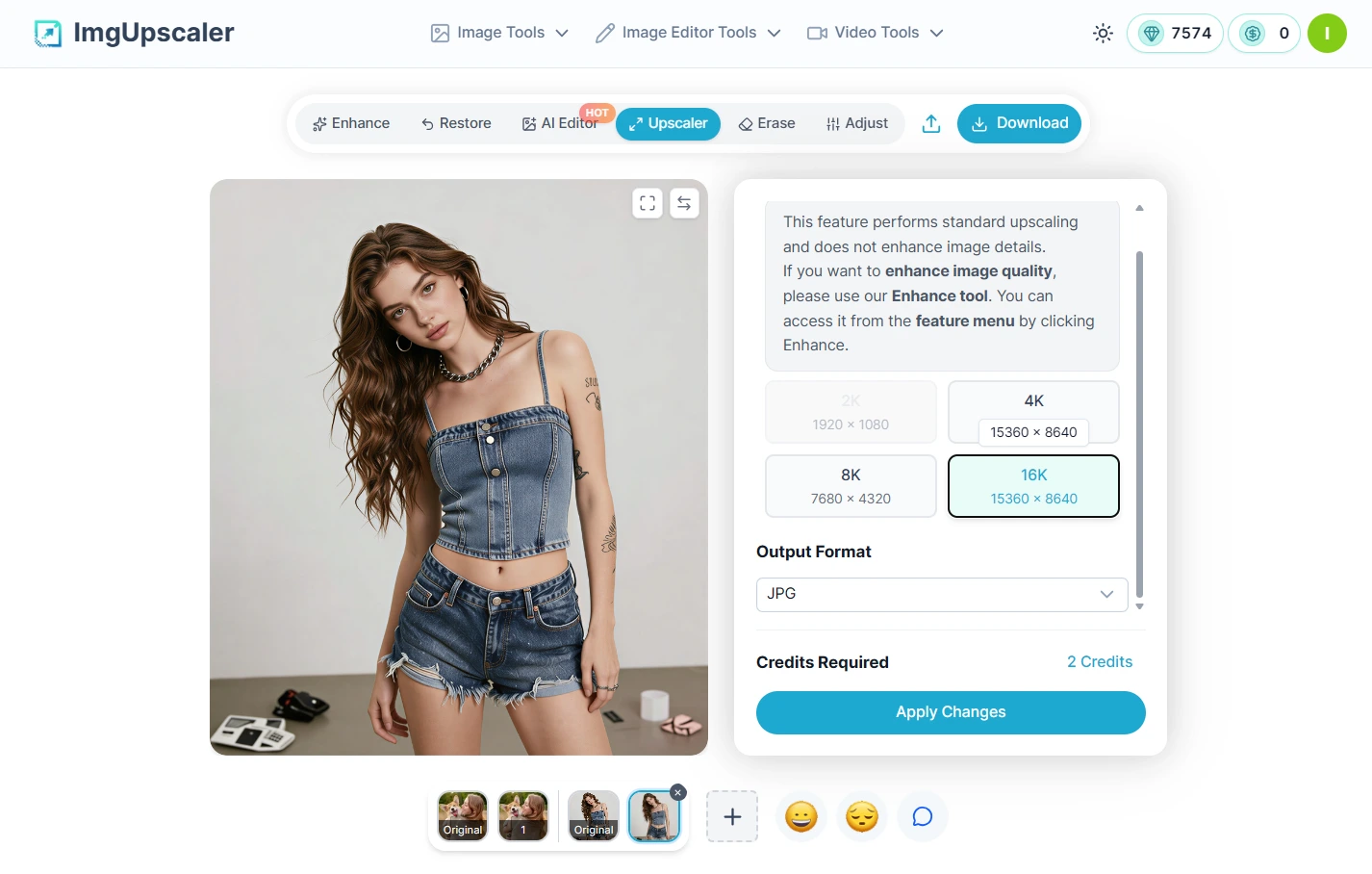
Upscale Images Up to 16K Resolution
For users who require print-quality images, resolution matters.
Imgupscaler.ai can enlarge images up to 16K resolution while maintaining excellent visual quality.
This makes it suitable for:
- Large-format posters
- Canvas prints
- Marketing materials
- Product catalogs
- Professional presentations
- Exhibition displays
If image quality is a top priority, especially for printing purposes, choosing a dedicated AI image upscaler like Imgupscaler.ai can make a significant difference.
Who Should Use Imgupscaler.ai?
One of the reasons Imgupscaler.ai has gained popularity is its versatility.
The platform serves a wide range of users who need high-quality image enhancement without complicated workflows.
Photographers
Photographers can restore detail, improve sharpness, and prepare images for large-format printing.
E-commerce Sellers
Product images directly impact conversion rates.
Imgupscaler.ai helps sellers create clearer product photos that look professional across marketplaces, online stores, and advertisements.
AI Artists
AI-generated images often contain inconsistencies and soft details.
Enhancing these images with Imgupscaler.ai can significantly improve clarity while maintaining artistic intent.
Social Media Creators
High-quality visuals generate more engagement.
Creators can enhance photos before publishing on Instagram, TikTok, Pinterest, X, Facebook, and YouTube.
Designers and Marketers
From advertising campaigns to presentation slides, marketers often require sharp, high-resolution assets.
Imgupscaler.ai provides an efficient way to improve image quality without extensive editing.
Content Creators and Bloggers
Bloggers, website owners, and digital publishers frequently need high-quality visuals to improve user engagement and strengthen their brand image.
By enhancing images before publication, creators can deliver a more professional experience while improving the visual appeal of their content.
Free AI Image Upscaler: How Much Can You Use Imgupscaler.ai for Free?
One of the biggest concerns users have when choosing an AI image upscaler is cost.
Many platforms advertise themselves as "free" but quickly impose restrictions, watermarks, or mandatory subscriptions after only a few uses.
Imgupscaler.ai takes a more user-friendly approach.
Every user receives 30 free credits daily, allowing them to enhance and upscale images without spending money.
This makes Imgupscaler.ai an excellent choice for:
- Students working on projects
- Designers testing creative concepts
- Content creators enhancing social media visuals
- Small businesses optimizing product photos
- Individuals restoring personal photographs
The daily credit system allows users to experience the platform's core image upscaling capabilities without committing to a paid plan.
For many casual users, the free credits are more than enough for everyday image enhancement tasks.
However, users with higher-quality requirements or more demanding workflows may want to explore even more advanced image enhancement options.
This is where LinoCut AI becomes particularly valuable.
Looking for a More Advanced AI Image Upscaler? Try LinoCut AI
While Imgupscaler.ai offers an excellent balance between quality and accessibility, some users require additional enhancement models, more flexible workflows, and greater creative control.
For these users, LinoCut AI provides a comprehensive image enhancement ecosystem that goes far beyond traditional image upscaling.
LinoCut AI combines multiple professional-grade enhancement models within a single platform, allowing users to select the most suitable model for different image types and quality goals.
This flexibility makes it one of the most complete AI image upscaling solutions available today.
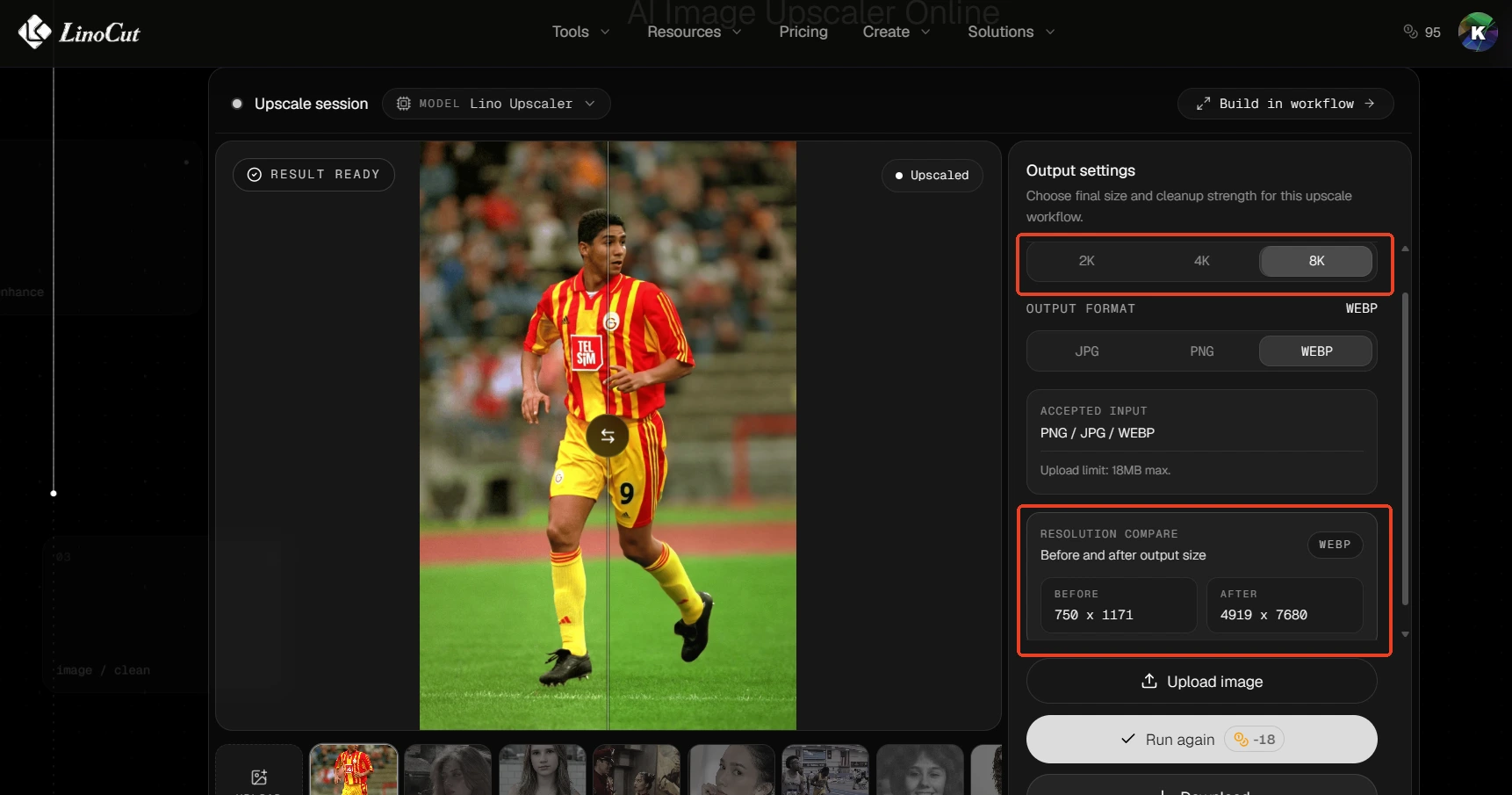
Lino Upscaler: A Proprietary AI Image Upscaler Comparable to Imgupscaler.ai
At the core of LinoCut AI is Lino Upscaler, a proprietary enhancement model developed specifically for high-quality image restoration and enlargement.
Its performance is comparable to Imgupscaler.ai's proprietary upscaling technology and focuses on delivering balanced, natural-looking results.
Lino Upscaler excels at:
- Enhancing image clarity
- Recovering missing details
- Improving facial features
- Reducing image noise
- Preserving visual consistency
- Maintaining realistic textures
- Optimizing lighting and color balance
Because the model prioritizes authenticity, it is particularly effective for:
- Portrait photography
- Family photos
- AI-generated portraits
- Social media content
- Product photography
- Lifestyle photography
Users who want enhanced images without dramatic alterations often find Lino Upscaler to be an ideal choice.
Topzlabs Model: The Best AI Image Upscaler for Extreme Detail Recovery
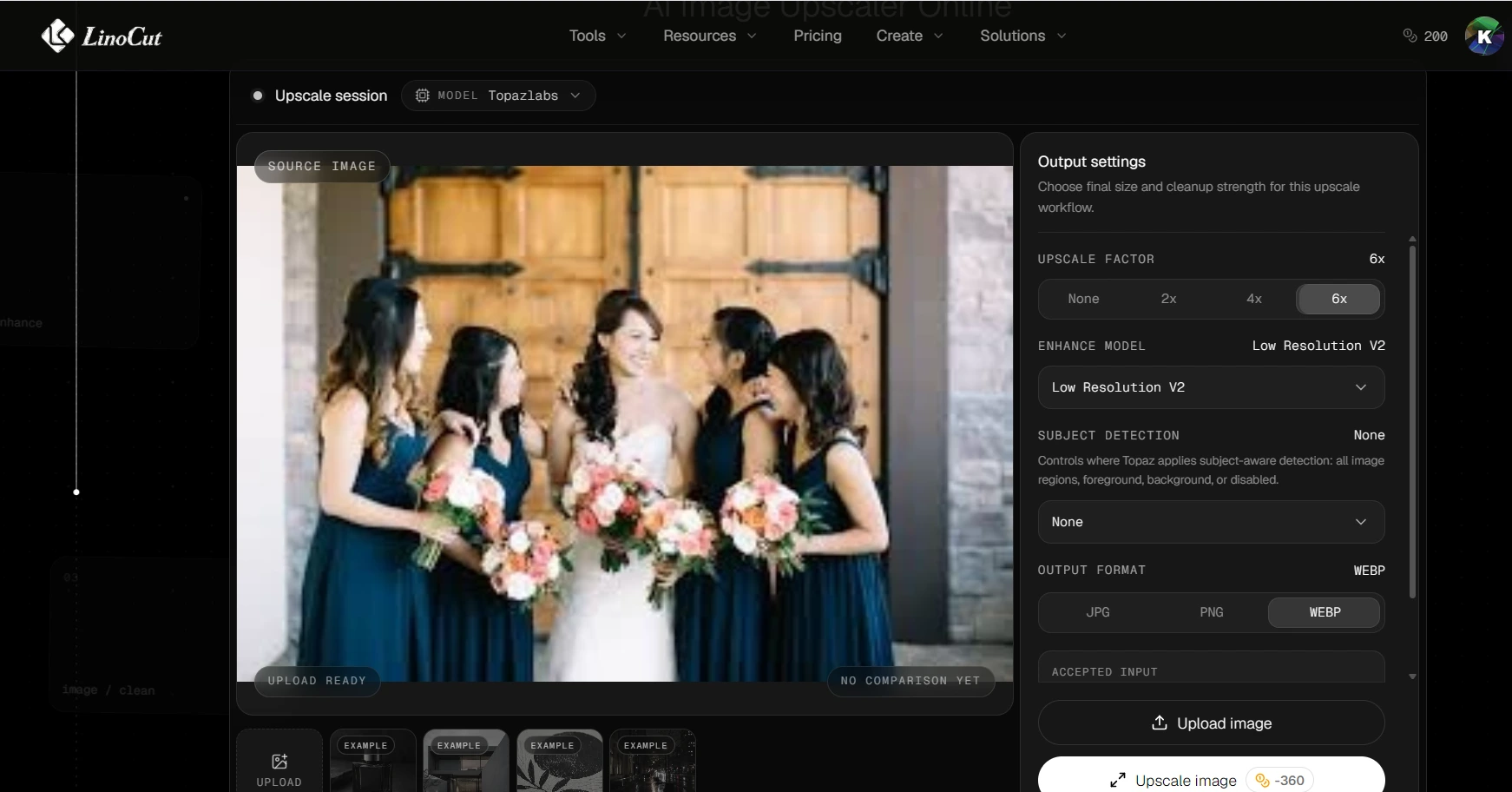
In addition to its proprietary model, LinoCut AI provides access to the highly regarded Topzlabs enhancement model.
Topzlabs is known for its aggressive detail reconstruction capabilities.
Compared with more conservative enhancement models, Topzlabs focuses on maximizing visible detail and texture recovery.
Its strengths include:
- Exceptional sharpness enhancement
- High-frequency detail reconstruction
- Texture restoration
- Advanced noise reduction
- Strong artifact cleanup
Topzlabs is particularly suitable for:
- Landscape photography
- Architecture photography
- Wildlife photography
- Product images
- Technical illustrations
- Digital artwork
When users need maximum detail extraction from low-quality images, Topzlabs often delivers impressive results.
For photographers and designers working with complex textures and intricate visual elements, it can be a powerful enhancement option.
Lino Upscaler Max: Proprietary Premium Image Upscaler for Superior Image Quality
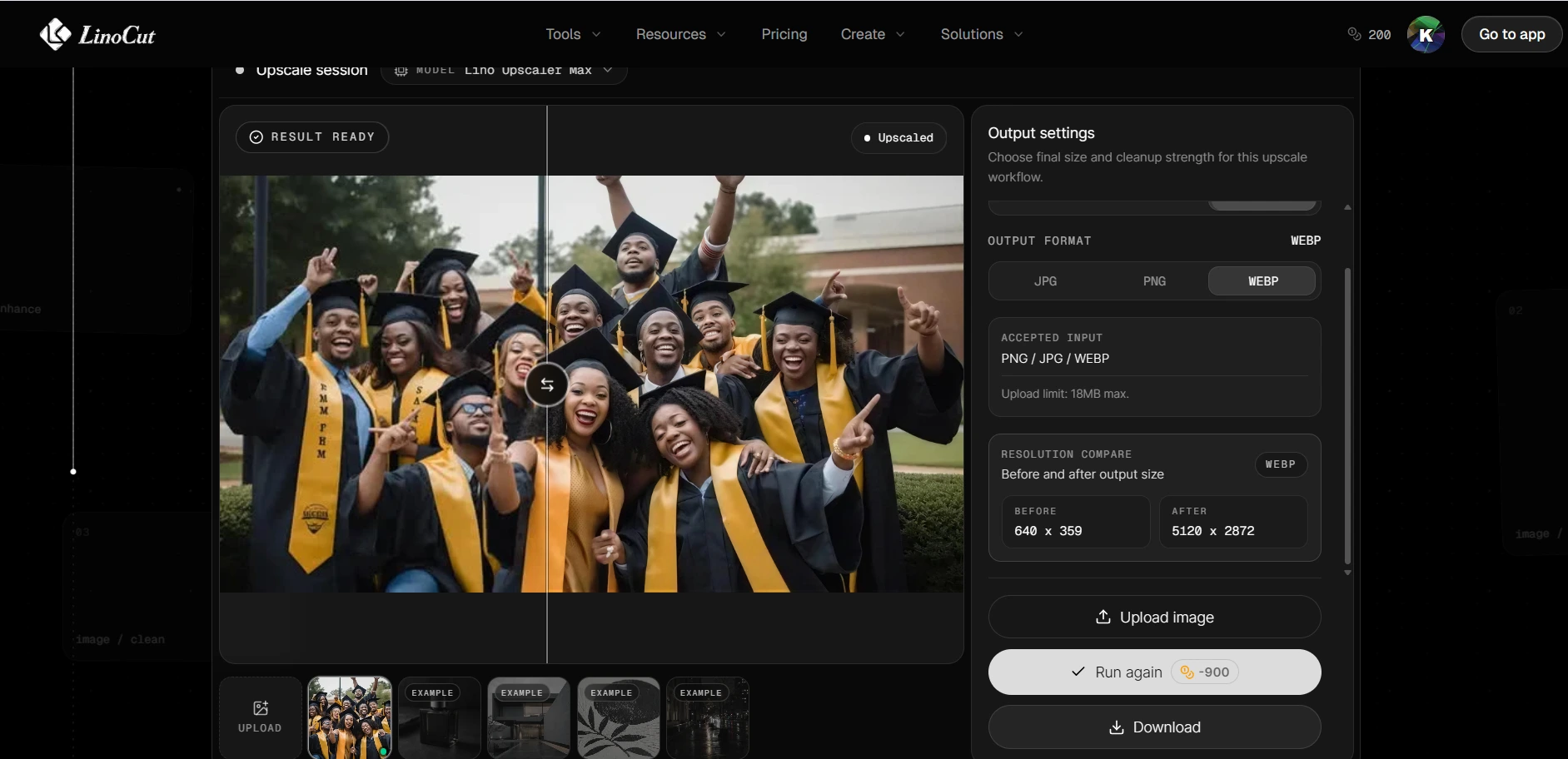
For users seeking the highest level of image enhancement, LinoCut AI also offers Lino Upscaler Max.
Built on an advanced Crystal-based enhancement framework, Lino Upscaler Max is designed to push image quality even further.
Its advantages include:
- Superior detail enhancement
- Advanced texture refinement
- Improved edge reconstruction
- Better dynamic range optimization
- Enhanced color accuracy
- Premium image clarity
- Reduced halo and oversharpening artifacts
Lino Upscaler Max performs exceptionally well on:
- Professional photography
- Commercial advertising images
- Luxury product photography
- Fashion photography
- High-end portrait retouching
- Print-ready marketing materials
When every detail matters, Lino Upscaler Max can help produce results suitable for professional publishing and large-format printing.
Why LinoCut AI Is More Than Just an AI Image Upscaler
Many AI image enhancement platforms focus exclusively on upscaling.
LinoCut AI takes a fundamentally different approach.
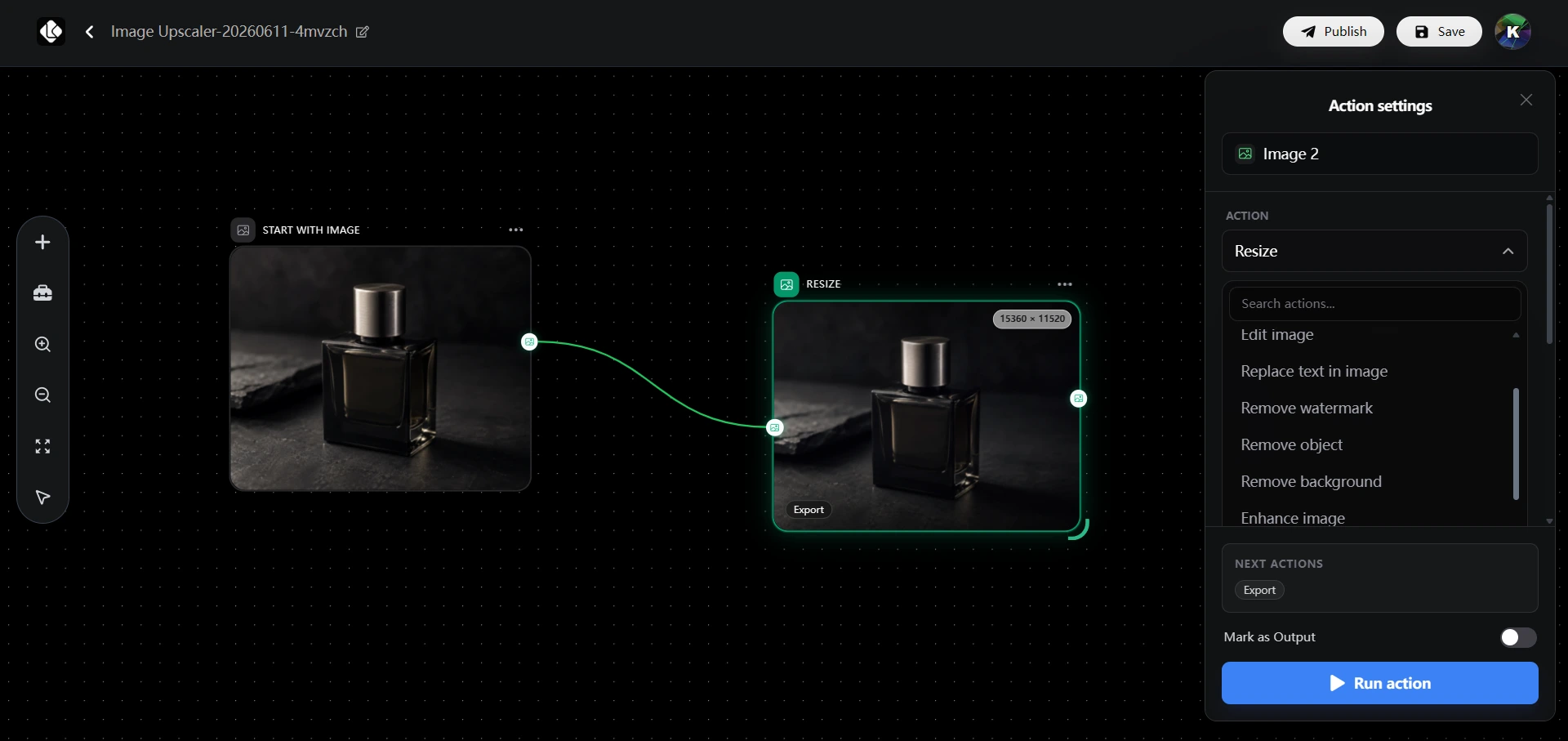
Instead of offering a single-purpose tool, it provides a complete image optimization workflow.
This means users can perform multiple editing tasks without switching between different platforms.
Within a single workflow, users can:
Enhance and Upscale Images
Improve image quality, increase resolution, and recover details.
Restore Old Photos
Repair damaged photographs, improve clarity, and revive historical images.
Remove Backgrounds
Generate transparent backgrounds or replace existing backgrounds with new scenes.
Remove Watermarks and Unwanted Objects
Clean up images by eliminating distractions, logos, text, watermarks, or unwanted elements.
Edit and Modify Image Content
Adjust image details, replace objects, and perform AI-powered image editing.
Modify Text Inside Images
Update text elements without recreating the entire design.
This integrated workflow dramatically improves efficiency for creators, marketers, designers, photographers, and business users.
Instead of juggling multiple tools, users can complete their entire image enhancement process in one place.
Why Free AI Image Upscalers Are Becoming Essential in 2026
The demand for high-resolution content continues to grow across nearly every industry.
Whether you're publishing online, printing marketing materials, selling products, creating social media content, or restoring old memories, image quality directly impacts results.
The challenge is finding an AI image upscaler that balances:
- Quality
- Accuracy
- Consistency
- Ease of use
- Cost effectiveness
Imgupscaler.ai stands out by offering a powerful proprietary AI model capable of enhancing image quality, improving clarity, restoring details, reducing noise, optimizing brightness and white balance, and upscaling images up to 16K resolution—all while preserving the original appearance of the image.
With 30 free credits provided daily, it remains one of the most accessible free AI image upscaler solutions available today.
For users who require even more flexibility, advanced enhancement models, and end-to-end image editing workflows, LinoCut AI provides an exceptionally comprehensive platform. From Lino Upscaler and Topzlabs to Lino Upscaler Max and workflow automation, it delivers professional-grade image enhancement tools for virtually every creative scenario.
As AI image enhancement technology continues to evolve, choosing a platform that combines quality, consistency, versatility, and affordability will help ensure that every image reaches its full potential.